
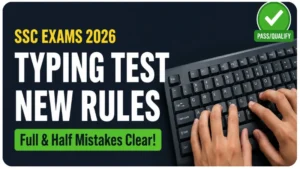
SSC Exams Typing Rules 2026: Everything You Need to Know
Hey friend! If you are a 10th or 12th pass student preparing for SSC CGL, CHSL, MTS, or Steno exams, the typing test (DEST) can feel scary. Many freshers get nervous about it. But let me tell you – it is not as difficult as it looks. Once you understand the clear rules, you can easily qualify.
This guide explains SSC typing rules 2026 in simple language. Read it carefully and save it for future reference.
What is DEST in SSC Exams?
DEST means Data Entry Skill Test. It is a qualifying test to check your typing speed and accuracy on a computer.
For 2026, you get 15 minutes to type a passage of approximately 2000 key depressions (letters + spaces + punctuation). The computer automatically calculates your speed and mistakes.
Important: DEST is only qualifying in nature. You just need to pass it. No marks are added to your final competitive merit score.
Full Mistakes in SSC Typing Test (Count as 1 Error Each)
These are serious mistakes. Each one counts as a full error in your evaluation:
- Omission of a Word – Forgetting or skipping a complete word or number written in the original passage.
- Substitution – Typing a completely wrong word in place of the correct word.
- Addition – Adding extra words or characters that are not present in the original passage.
- Repetition – Typing the same word twice by mistake.
- Incomplete Words – Half-typed words left at the end of the paragraph if your time finishes.
Half Mistakes in SSC Typing Test (Count as 0.5 Error Each)
These are smaller mistakes. Each counts only as a half error:
- Spelling Errors – Any mistake in spelling by adding, removing, or changing letters (Example: Typing “speling” or “spellingg” instead of “spelling”).
- Spacing Errors – Leaving no space between two words (Example: “Ihope”) or adding an extra space inside a single word (Example: “I h ave”).
- Capitalization Errors – Wrong use of capital or small letters (Example: Typing “india” with a small ‘i’ instead of “India”).
- Paragraph Errors – Not using the Tab key where a new paragraph starts, or using manual spaces instead of the Tab key.
Is Backspace Allowed in SSC Typing?
Yes, Backspace and Arrow keys are 100% allowed.
You can easily correct your typing mistakes during the 15-minute test. However, keep in mind that you cannot use editing shortcuts like Cut, Copy, or Paste. Only the backspace key and arrow keys are permitted for making corrections.
Exam Hall Environment & Keyboard Tips
- Reach the exam center early to avoid last-minute panic.
- Use the 10-minute trial/mock time properly before the actual test starts. Type every key to check if the keyboard is fully functional.
- If the keyboard has any problem (hard keys, sticky keys, or not working), immediately request the invigilator for a replacement during the trial time.
- Sit comfortably, keep your wrist straight, and stay calm.
How to Prepare for SSC Typing Test 2026
- First focus completely on accuracy. Once you hit 95%+ accuracy, your speed will increase automatically.
- Practice full 15-minute exam-level passages daily to build stamina.
- Use an online tool that mimics the real exam. You can practice on our Free SSC Typing Test Tool, which is 100% based on the latest SSC exam layout and pattern.
- Calculate your own errors manually or through software while practicing to track your weekly improvement.
You Can Definitely Clear It!
Thousands of 10th and 12th pass students clear the SSC typing test every year. Just understand the rules of full mistakes and half mistakes properly and practice with discipline.
Start today. Even 30-45 minutes of daily dedicated practice on our typing tool will bring amazing results in just a few weeks. All the best for your SSC journey! You will surely succeed. Share this article with your friends who are also preparing.
Keep practicing and stay positive. Your government job dream is very close!
Best Wishes,
Your well-wisher for SSC Success
Frequently Asked Questions (FAQs)
Q1: Can I use the mouse during the SSC Typing Test?
Ans: No, the use of a mouse is strictly restricted during the actual typing test. You have to navigate the paragraph using the keyboard’s Arrow keys only.
Q2: What happens if I finish the text before 15 minutes?
Ans: If you complete the given passage before the 15-minute time limit, you should not sit idle. You can recheck your typed text from the beginning and correct any mistakes using the backspace key.
Q3: Is the onscreen text case-sensitive?
Ans: Yes, the test is case-sensitive. If a word in the master text starts with a capital letter (like “Delhi”), you must type it with a capital letter. Otherwise, it will be counted as a Half Mistake.
Q4: Will I get a physical paper sheet for the typing passage?
Ans: No, SSC completely conducts the typing test in online mode. The master passage is displayed on the upper half of the computer screen, and you have to type it in the text box provided on the lower half.
Q5: Is regular laptop keyboard practice enough for the SSC exam?
Ans: Practicing on a laptop is okay for learning layouts, but it is highly recommended to connect an external USB desktop keyboard. Laptop keys are flat, whereas exam centers use traditional mechanical/membrane keyboards with deeper key travel.