
Candidates preparing for SSC CHSL LDC and JSA posts should pay special attention to the typing test, especially if they have selected Hindi as their typing medium. Knowing Hindi is not enough to qualify. Candidates must also understand the required typing speed, test duration, font instructions and examination rules.
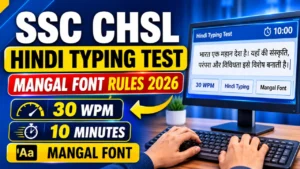
The SSC CHSL Hindi Typing Test 2026 requires candidates to type at a speed of 30 words per minute in a 10-minute test. According to the 2026 notification, candidates taking the Hindi typing test must use Mangal Font only. Using another font will lead to non-qualification in the typing test.
In this guide, we will explain the SSC CHSL Hindi typing rules, the difference between Mangal Font and keyboard layouts, preparation methods and common mistakes that candidates should avoid.
1. What Is SSC CHSL Hindi Typing Test?
The SSC CHSL Hindi Typing Test is a computer-based skill test conducted for candidates appearing for applicable Lower Division Clerk (LDC) and Junior Secretariat Assistant (JSA) posts.
Candidates who have selected Hindi as their typing test medium must demonstrate their ability to type a given passage in Hindi within the prescribed time.
The test checks whether candidates can type the provided passage with the required speed and accuracy.
The main purpose of the typing test is to evaluate the candidate’s typing ability for office-related work.
Candidates should remember that the Hindi typing test is different from the Computer Based Examination. It is conducted as a separate skill test under the examination scheme.
Important points about the Hindi typing test
- It applies to candidates taking the typing test in Hindi for applicable LDC/JSA posts.
- The required typing speed is 30 WPM.
- The standard typing test duration is 10 minutes.
- Hindi typing must be performed using Mangal Font only.
- The typing test is qualifying in nature.
- Candidates must follow the typing medium selected in their application form.
Always check the latest official SSC notification for the examination cycle in which you are appearing.
2. SSC CHSL Hindi Typing Test 2026: Speed and Time Limit
The SSC CHSL 2026 notification specifies the following typing requirements for LDC/JSA candidates.
| Typing Requirement | Hindi Typing Test |
|---|---|
| Required Speed | 30 WPM |
| Standard Duration | 10 Minutes |
| Required Font | Mangal Font |
| Typing Medium | Hindi |
| Test Type | Computer-based typing skill test |
| Nature of Test | Qualifying |
The Hindi typing speed of 30 WPM corresponds to approximately 9,000 key depressions per hour, as stated in the notification.
What does 30 WPM mean?
WPM stands for Words Per Minute.
It represents the number of words a candidate is expected to type in one minute.
For example:
- 10 minutes of typing at 30 WPM represents a nominal speed of 300 words.
- 5 minutes at 30 WPM represents a nominal speed of 150 words.
These are simple speed illustrations. The actual examination passage, evaluation and qualifying standards are determined by SSC.
Candidates should not assume that typing 300 words automatically guarantees qualification. Accuracy and the Commission’s evaluation rules also matter.
How much time is given for Hindi typing?
The standard duration for the SSC CHSL Hindi typing test is 10 minutes.
Candidates eligible for compensatory time under the applicable examination provisions may receive additional time. The 2026 notification provides an additional five minutes for eligible candidates covered by the relevant scribe provisions.
Therefore, candidates should check their eligibility and the instructions provided by SSC instead of assuming that every candidate receives the same duration.
3. Is Mangal Font Mandatory for SSC CHSL 2026?
Yes.
According to the SSC CHSL 2026 notification, candidates taking the typing test in Hindi are required to type in Mangal Font only.
The notification clearly states that using any other font will lead to non-qualification.
This is one of the most important rules for candidates preparing for the Hindi typing test.
Why is Mangal Font important?
Mangal is a Unicode Hindi font used to display Devanagari text.
Candidates must understand that selecting Hindi as the typing medium does not mean they can use any Hindi font they prefer.
The font requirement is specifically mentioned in the SSC CHSL 2026 notification.
Therefore, candidates should practise Hindi typing in the required font environment before the examination.
Can I use another Hindi font?
Candidates should not use a font other than the one permitted by the official notification.
For SSC CHSL 2026 Hindi typing:
- Mangal Font is mandatory.
- Using another font can lead to non-qualification.
- Candidates should follow the examination software and instructions.
- Keyboard layout and font should not be treated as the same thing.
Do not rely on the rules of another recruitment examination because different examinations may have different font and keyboard-layout requirements.
4. Difference Between Mangal Font, Remington Gail and Inscript
Many beginners become confused between Mangal Font, Remington Gail and Inscript.
These terms are related to Hindi typing, but they do not mean the same thing.
What is Mangal Font?
Mangal is a Unicode Hindi font used to display Hindi characters.
It determines how Hindi text is displayed on the computer.
For SSC CHSL 2026 Hindi typing, the notification specifies Mangal Font.
What is Inscript?
Inscript is a keyboard layout.
It determines where Hindi characters are placed on the keyboard.
A candidate using an Inscript layout presses keys according to the Inscript keyboard arrangement to produce Hindi text.
What is Remington Gail?
Remington Gail is another Hindi keyboard layout.
It follows a traditional typewriter-style arrangement and is used in various Hindi typing examinations and practice environments.
However, the keyboard layout permitted in an examination depends on that examination’s official instructions.
Simple difference
| Term | Meaning |
|---|---|
| Mangal Font | Hindi font used to display text |
| Inscript | Hindi keyboard layout |
| Remington Gail | Hindi keyboard layout |
Important: The SSC CHSL 2026 notification specifies Mangal Font. It does not mean that every keyboard layout or Hindi typing setup is automatically permitted.
Candidates should check the actual typing software instructions and the latest official notification before choosing their preparation setup.
For more information, read these guides:
- Hindi Typing Test Online – Mangal Font Practice for Beginners
- Remington Gail Hindi Typing Practice – Keyboard Layout Guide for Beginners
- Inscript Hindi Typing Test Online – Keyboard Layout & Practice Guide
5. How Does the SSC CHSL Hindi Typing Test Work?
The SSC CHSL typing test is conducted on a computer.
Candidates are required to type the given passage in their selected typing medium.
For candidates who have selected Hindi, the passage must be typed in Hindi according to the applicable font instructions.
Basic typing test process
- The candidate receives the typing test instructions.
- The typing test passage is provided.
- The candidate types the passage using the permitted typing setup.
- The typing test is completed within the prescribed duration.
- SSC evaluates the typing performance according to its applicable evaluation guidelines.
Candidates should carefully read the instructions provided before starting the test.
Can I change my typing medium after submitting the application?
The SSC CHSL 2026 notification states that the typing test medium is selected in the online application form and the choice is final.
Therefore, candidates should carefully select English or Hindi while filling out the application form.
Do not assume that you can change your typing medium during the examination.
Is the Hindi typing test qualifying?
Yes.
The typing test is qualifying in nature under the SSC CHSL examination scheme.
Candidates must satisfy the applicable qualifying standards prescribed by the Commission.
The final result depends on the official evaluation process.
Candidates should not assume that achieving 30 WPM alone guarantees qualification because the Commission also applies its prescribed evaluation guidelines.
6. How to Prepare for SSC CHSL Hindi Typing Test
Candidates should begin Hindi typing preparation early instead of waiting until the examination date.
Regular practice helps improve typing speed, accuracy and familiarity with Hindi characters.
Step 1: Learn the Hindi keyboard layout
First, become familiar with the keyboard layout you intend to practise with.
Understand the placement of:
- Hindi vowels
- Hindi consonants
- Matras
- Half letters
- Halant
- Common Hindi punctuation
Do not change keyboard layouts repeatedly during preparation.
Step 2: Practise in the correct font environment
Since SSC CHSL 2026 requires Mangal Font for Hindi typing, candidates should practise with a compatible Unicode Hindi typing setup.
Make sure the typed Hindi text displays correctly.
Practising in an unrelated legacy font environment may not prepare you properly for the examination requirements.
Step 3: Start with simple Hindi paragraphs
Beginners should start with short and easy passages.
Practise common words such as:
- भारत
- शिक्षा
- विद्यार्थी
- परीक्षा
- सरकार
- समाज
- विकास
- रोजगार
Once you become comfortable with these words, gradually move to longer passages.
SSC CHSL Hindi Typing Test 2026 – Speed, Mangal Font & Online Practice
Candidates preparing for SSC CHSL 2026 should start working on their typing skills well before the examination. For LDC/JSA posts, the typing test can be taken in either English or Hindi, depending on the medium selected in the application form.
According to the SSC CHSL 2026 notification, candidates choosing Hindi must achieve a typing speed of 30 words per minute (WPM). The standard test duration is 10 minutes, and typing in Mangal Font only is compulsory.
Understanding these requirements early can help you choose the right practice method and avoid mistakes during preparation. Here is what you need to know about the Hindi typing test, its rules and how to prepare for it.
1. What Is the SSC CHSL Hindi Typing Test?
The SSC CHSL Hindi Typing Test is part of Tier-II, Section-IV for candidates appearing for LDC (Lower Division Clerk) and JSA (Junior Secretariat Assistant) posts.
Candidates can choose Hindi or English as their typing medium in the online application form. Those who select Hindi must type the given passage in Hindi and meet the speed and other requirements prescribed by SSC.
The test is conducted on a computer. SSC evaluates the candidate’s typing performance according to its prescribed guidelines.
Some important points about the test are:
- Applicable posts: LDC/JSA
- Typing medium: Hindi or English
- Hindi typing speed: 30 WPM
- Standard duration: 10 minutes
- Hindi font: Mangal Font only
- Nature of test: Qualifying
The typing test is different from the objective-type questions in Tier-II. Candidates must qualify the applicable sections of the examination, including the typing test, to remain eligible for further selection.
2. SSC CHSL Hindi Typing Speed and Time Limit 2026
The SSC CHSL 2026 notification prescribes a Hindi typing speed of 30 words per minute for candidates who select Hindi as their typing medium.
This speed corresponds to approximately 9,000 key depressions per hour.
| Particular | Hindi Typing Requirement |
|---|---|
| Typing speed | 30 WPM |
| Key depressions | Approximately 9,000 per hour |
| Standard duration | 10 minutes |
| Typing medium | Hindi |
| Required font | Mangal Font only |
| Test mode | Computer-based |
| Nature of test | Qualifying |
What does 30 WPM mean?
WPM stands for Words Per Minute. It indicates the number of words typed in one minute.
At a rate of 30 WPM, the simple arithmetic equivalent is 300 words in 10 minutes. This is only an illustration of the speed calculation, not a fixed passage length announced by SSC.
The Commission assesses typing speed based on the accuracy of the candidate’s typing on a given passage during the allotted time.
How much time is given for the typing test?
The standard duration is 10 minutes.
Candidates eligible for a scribe under the provisions mentioned in paragraphs 7.1, 7.2 and 7.3 of the notification receive an additional five minutes. Their typing test duration is therefore 15 minutes.
Candidates should check the relevant eligibility conditions rather than assume that the extra time applies to everyone.
3. Is Mangal Font Mandatory for SSC CHSL 2026?
Yes. Mangal Font is compulsory for candidates who choose Hindi as their typing medium for the LDC/JSA typing test.
Paragraph 13.9.13.7 (viii) of the SSC CHSL 2026 notification clearly states that Hindi typing candidates must type in Mangal Font only. The use of any other font will lead to non-qualification in the typing/skill test for LDC/JSA or equivalent posts.
This requirement makes the choice of typing setup important during preparation.
Why is Mangal Font important?
Mangal is a Unicode font used to display Devanagari characters on a computer. It allows Hindi text to be displayed using standard Unicode character encoding.
Candidates should understand that choosing Hindi as the typing medium does not mean they can use any Hindi font they prefer. The notification specifically names Mangal Font.
Practise with a compatible Unicode Hindi typing setup and make sure the text is displayed correctly.
Can I use another Hindi font?
No. The 2026 notification specifies Mangal Font only for Hindi typing.
Using another font can lead to non-qualification. Candidates should follow the font requirement and the instructions provided in the examination software.
4. Difference Between Mangal Font, Remington Gail and Inscript
Mangal Font, Remington Gail and Inscript are often discussed together in Hindi typing practice. However, they do not refer to the same thing.
Understanding the difference will help you choose a suitable practice setup.
What is Mangal Font?
Mangal is a Hindi font used to display Devanagari text on a computer. It is a Unicode font.
For the SSC CHSL 2026 Hindi typing test, the notification specifically requires Mangal Font.
What is Inscript?
Inscript is a Hindi keyboard layout. It determines which Hindi character is produced when you press a particular key.
Candidates who learn Inscript become familiar with the position of Hindi vowels, consonants and other characters on the keyboard.
What is Remington Gail?
Remington Gail is another Hindi keyboard layout. It follows a traditional typewriter-style arrangement and is used in various Hindi typing practice environments.
The layout determines how characters are entered; it is not itself a font.
Simple difference
| Term | Meaning |
|---|---|
| Mangal Font | Unicode Hindi font used to display text |
| Inscript | Hindi keyboard layout |
| Remington Gail | Hindi keyboard layout |
Important: The SSC CHSL 2026 notification specifies Mangal Font. It does not name Inscript or Remington Gail as the compulsory keyboard layout in paragraph 13.9.13.7.
A keyboard layout and a font are two different things. Candidates should practise with a compatible setup that produces the required Hindi text and follow any additional instructions issued by SSC.
For more information about Hindi keyboard layouts, you can read these guides:
- Hindi Typing Test Online – Mangal Font Practice for Beginners
- Remington Gail Hindi Typing Practice – Keyboard Layout Guide for Beginners
- Inscript Hindi Typing Test Online – Keyboard Layout & Practice Guide
5. How Does the SSC CHSL Hindi Typing Test Work?
The typing test is conducted on a computer during Tier-II, Session-II.
Candidates receive a passage and have to type it within the prescribed time using their selected typing medium.
For Hindi-medium candidates, the typing must follow the Mangal Font requirement.
The basic process is as follows:
- Candidates receive the instructions for the typing test.
- A passage is provided for typing.
- Candidates type the passage using the permitted examination setup.
- The test continues for the allotted duration.
- SSC evaluates the typing performance according to its applicable guidelines.
The notification states that typing speed is assessed on the accuracy of typing the given passage. It also specifies that errors are calculated up to two decimal places.
Can I change my typing medium after submitting the application?
No. The SSC CHSL 2026 notification states that candidates must select Hindi or English as their typing medium in the online application form.
The selected option is treated as final. SSC will not entertain a later request to change the typing medium.
Check your choice carefully before submitting the application.
Is the Hindi typing test qualifying?
Yes. The Skill Test/Typing Test is qualifying in nature under the SSC CHSL 2026 examination scheme.
Candidates must meet the qualifying standards prescribed by the Commission. The final merit list is prepared according to the applicable Tier-II selection rules, subject to qualifying the required sections.
Achieving 30 WPM during online practice does not by itself guarantee qualification. The actual examination is evaluated according to SSC’s guidelines.
6. How to Prepare for the SSC CHSL Hindi Typing Test
Learning Hindi typing takes regular practice. Candidates who are new to computer typing should first become comfortable with the keyboard layout and then move on to complete passages.
The following steps can help you organise your preparation.
Step 1: Learn the Hindi keyboard layout
Start by understanding the keyboard layout you plan to practise with.
Pay attention to the position of:
- Hindi vowels
- Consonants
- Matras
- Half letters
- Halant
- Common Hindi punctuation marks
Avoid switching between keyboard layouts repeatedly. Give yourself enough time to become comfortable with one setup.
Step 2: Practise in a compatible Mangal Font environment
Since SSC requires Mangal Font for Hindi typing, practise using a compatible Unicode Hindi typing setup.
Check that the characters appear correctly when you type. Do not assume that every Hindi typing tool or legacy font setup follows the SSC requirement.
Step 3: Start with simple Hindi words
Before typing long passages, practise commonly used Hindi words.
For example:
- भारत
- शिक्षा
- विद्यार्थी
- परीक्षा
- सरकार
- समाज
- विकास
- रोजगार
- प्रतियोगिता
- महत्वपूर्ण
Pay attention to the matras and character combinations in each word. Correct typing is more useful than rushing through a list of words.
Step 4: Practise complete sentences
Once you are comfortable with individual words, move on to complete sentences.
Sentence practice helps you become familiar with spacing, punctuation and the flow of Hindi text.
Choose passages on everyday topics such as education, technology, the environment and social development.
Step 5: Practise with a timer
Begin with short sessions and gradually move towards the standard examination duration.
You can use this practice sequence:
- 5-minute typing practice
- 10-minute typing practice
- Longer practice sessions as your accuracy improves
Use the timer to understand your current speed and identify areas where you lose time.
Step 6: Review your mistakes
After each session, check the words you typed incorrectly.
Look for:
- Incorrect matras
- Missing letters
- Half-letter mistakes
- Incorrect spacing
- Repeated words
- Mistakes involving unfamiliar characters
Practise difficult words separately before attempting another passage.
7. Common Hindi Typing Mistakes to Avoid
Knowing Hindi does not automatically make someone a fast Hindi typist. Typing also requires familiarity with the keyboard and correct character combinations.
These are some common mistakes beginners should watch for.
1. Incorrect matras
Matras can change the meaning and pronunciation of a word.
For example:
- दिन
- दीन
Both words look similar, but their vowel sounds and meanings are different.
Practise common matras separately and check the spelling of each word.
2. Missing half letters
Hindi contains many words with combined consonants. Beginners sometimes miss a half letter or type an incorrect combination.
Examples include:
- विद्यालय
- प्रश्न
- स्वतंत्रता
- व्यक्तित्व
Practise these words slowly until you can type them correctly.
3. Incorrect halant usage
The halant (्) is used to suppress the inherent vowel of a consonant. It is important in forming many Hindi conjuncts.
Practise combinations such as:
- क्त
- त्र
- प्र
- श्र
- स्त
Check the resulting word after typing instead of relying only on how the keys feel.
4. Incorrect spacing
Missing spaces or adding unnecessary spaces can make a passage difficult to read.
Maintain consistent spacing between words and avoid inserting extra spaces while typing quickly.
5. Confusing similar Hindi characters
Some Hindi characters and their combinations can be difficult for beginners to distinguish.
Learn their keyboard positions and practise them in complete words. This is more useful than memorising key positions without typing actual text.
6. Typing too fast without accuracy
Increasing speed is useful, but frequent spelling and typing errors can affect your performance.
Build a steady typing rhythm first. Increase your speed gradually while keeping an eye on accuracy.
7. Practising with an unsuitable font setup
A practice tool may support Hindi typing without necessarily following the SSC font requirement.
For CHSL 2026, Hindi typing must use Mangal Font. Check your practice environment rather than assuming that every Hindi font is acceptable.
8. Daily Hindi Typing Practice Routine
A short, consistent routine can help beginners build typing skills without spending too much time on a single activity.
You can start with this 25-minute practice schedule:
| Practice Activity | Time |
|---|---|
| Keyboard layout revision | 5 minutes |
| Hindi word practice | 5 minutes |
| Paragraph typing | 10 minutes |
| Mistake review | 5 minutes |
| Total | 25 minutes |
First 5 minutes: Keyboard revision
Revise the position of commonly used Hindi characters, matras and difficult combinations.
Next 5 minutes: Word practice
Practise words that caused errors in your previous session. Repeat difficult combinations until you can type them correctly.
Next 10 minutes: Paragraph practice
Choose a Hindi passage and type it continuously. Focus on correct spelling, spacing and a steady rhythm.
Last 5 minutes: Mistake review
Check the errors from your session. Make a note of difficult words so that you can practise them again.
Weekly preparation plan
A simple weekly schedule can keep your practice organised.
| Day | Practice Focus |
|---|---|
| Monday | Hindi characters and matras |
| Tuesday | Common Hindi words |
| Wednesday | Short paragraphs |
| Thursday | Half letters and difficult words |
| Friday | 10-minute typing practice |
| Saturday | Full practice passage and mistake review |
| Sunday | Revision of weak areas |
You can adjust the schedule according to your current typing level. The main aim is to improve accuracy and speed gradually.
9. Hindi Typing Test Online: How to Practise
Online typing practice is useful for becoming familiar with Hindi text and checking your typing performance.
Before starting, make sure the practice tool supports a Hindi typing setup compatible with the Mangal Font requirement.
You can use an online Hindi typing test to practise passages, work on difficult words and become comfortable with timed sessions.
How to practise online
- Open the Hindi typing practice page.
- Read the passage before starting.
- Check your Hindi keyboard and font setup.
- Start typing the passage.
- Maintain correct spelling and spacing.
- Review your performance after completing the test.
You can start practising here:
Beginners can start with shorter passages and gradually move towards 10-minute practice sessions.
Keep in mind that an online practice tool may not use the exact evaluation method followed by SSC. Use it to develop your typing skills, and refer to the official notification for examination rules.
10. Frequently Asked Questions
Q1. What is the Hindi typing speed for SSC CHSL 2026?
The required Hindi typing speed for applicable LDC/JSA candidates is 30 words per minute. This corresponds to approximately 9,000 key depressions per hour.
Q2. How much time is given for the SSC CHSL Hindi typing test?
The standard duration is 10 minutes. Candidates eligible for compensatory time under the applicable provisions receive an additional five minutes, making their test duration 15 minutes.
Q3. Is Mangal Font compulsory for SSC CHSL 2026?
Yes. The notification requires candidates choosing Hindi as their typing medium for LDC/JSA to type in Mangal Font only. Using another font leads to non-qualification.
Q4. Can I use Remington Gail for SSC CHSL Hindi typing?
Remington Gail is a keyboard layout, not a font. The notification specifies Mangal Font but does not name a compulsory keyboard layout in paragraph 13.9.13.7. Candidates should follow the examination software and instructions provided by SSC.
Q5. Is the SSC CHSL Hindi typing test qualifying?
Yes. The typing test is qualifying in nature. Candidates must meet the qualifying standards prescribed by the Commission.
Q6. Can I change my typing language after submitting the application?
No. The typing medium selected in the online application form is treated as final. SSC does not entertain later requests to change it.
Q7. How should beginners practise Hindi typing?
Start with the keyboard layout, common Hindi words, matras and half letters. Once you become comfortable, practise complete paragraphs and timed typing sessions.
Q8. Is 30 WPM enough to qualify?
30 WPM is the prescribed Hindi typing speed for LDC/JSA candidates. However, candidates must also satisfy SSC’s applicable evaluation and qualifying standards. Reaching 30 WPM in an online practice test does not guarantee qualification.
11. Final Words
For SSC CHSL 2026 LDC/JSA candidates choosing Hindi, the key requirements are a typing speed of 30 WPM, a standard test duration of 10 minutes and the use of Mangal Font only.
Start practising early. Work on matras, half letters, difficult words and complete Hindi passages before moving to regular timed tests.
Most importantly, use a compatible typing setup and follow the instructions issued by SSC. Consistent practice can help you become more comfortable with Hindi typing before the examination.
For regular practice, visit the Hindi Typing Test Online page on TypingTestForSSC.com.
Official Source
Staff Selection Commission (SSC)
Notice of Combined Higher Secondary (10+2) Level Examination, 2026 – Official Notification PDF
Refer particularly to paragraph 13.9.13.7 (Part C – Typing Test for LDC/JSA) for the typing medium, speed, duration and Mangal Font requirements.
The official SSC notification and any subsequent instructions or corrigenda should be treated as the final authority.