
Inscript Hindi Typing Test Online – Keyboard Layout & Practice Guide
Learning Hindi typing can feel difficult at first, especially when you are unfamiliar with the keyboard layout. If you are preparing for a government typing test, choosing the correct layout is just as important as developing good typing speed.
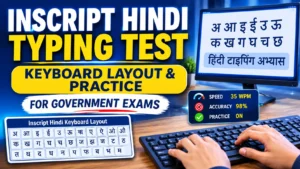
Inscript is one of the standard keyboard layouts used for typing Hindi and other Indian languages. It follows a structured arrangement of vowels, consonants and other characters. Once you understand where these characters are placed, you can begin practising words, sentences and complete paragraphs.
This guide explains how the Inscript Hindi keyboard works, how it differs from Remington Gail, and how beginners can prepare through practical typing exercises. You will also find Hindi practice material and a simple daily routine to help you build accuracy and confidence.
What Is the Inscript Hindi Keyboard Layout?
Inscript stands for Indian Script. It is a standard keyboard layout developed for entering text in Indian languages, including Hindi.
Unlike a phonetic keyboard, where you generally type words using their English pronunciation, Inscript assigns Indian-language characters to specific keys on a regular keyboard. You need to learn these key positions before you can type comfortably.
The layout follows a systematic arrangement. In general, vowels are placed on the left side of the keyboard and consonants on the right. Characters are organised according to their linguistic groups, which makes the layout easier to understand once you become familiar with its structure.
Inscript is not limited to Hindi. Its underlying arrangement is designed to support multiple Indian languages that use related writing systems.
Is Inscript the Same as Mangal Font?
No. Inscript and Mangal serve two different purposes.
- Inscript: A keyboard layout that determines which key produces a particular Hindi character.
- Mangal: A Unicode Devanagari font used to display Hindi text on a computer.
For example, you can type Hindi using an Inscript keyboard layout and display the resulting text in Mangal or another compatible Unicode Devanagari font.
Think of it this way: the keyboard layout controls how you enter the text, while the font controls how the text appears on the screen.
This distinction is useful for candidates preparing for computer-based Hindi typing tests, where the examination instructions may specify both a keyboard layout and a font.
Inscript vs Remington Gail – What Is the Difference?
Inscript and Remington Gail are two different keyboard layouts used for Hindi typing. Their key arrangements are not the same, so the method you learn for one layout may not work in the other.
| Feature | Inscript | Remington Gail |
|---|---|---|
| Keyboard arrangement | Standardised Indian-language layout | Remington-style layout |
| Character placement | Follows the Inscript arrangement | Uses a different key arrangement |
| Learning method | Learn the assigned Inscript key positions | Learn the assigned Remington Gail key positions |
| Practice requirements | Requires familiarity with Inscript keys | Requires familiarity with Remington Gail keys |
| Exam preparation | Use when specified or permitted by the exam | Use when specified or permitted by the exam |
Which Layout Is Easier for Beginners?
There is no single answer for everyone. The difficulty depends on your previous typing experience and how familiar you are with the layout.
A beginner who has never typed in Hindi may need time to learn either one. Someone who has already developed typing habits in Remington Gail may initially find it difficult to switch to Inscript, and the reverse can also happen.
The best approach is to learn the layout required for your examination. Do not choose a layout simply because someone says it is easier or faster.
Inscript Hindi Keyboard Layout – Understanding the Characters
Before starting paragraph practice, become familiar with the main groups of Hindi characters. These include independent vowels, consonants, vowel signs and other commonly used characters.
The examples below will help you recognise the characters you need to practise. They are not a key-by-key keyboard mapping.
1. Hindi Vowels (स्वर)
Vowels are independent sounds that form an essential part of Hindi writing. Start by learning to recognise these characters:
अ, आ, इ, ई, उ, ऊ, ऋ, ए, ऐ, ओ, औ
Practise reading and typing these characters separately. Once you are comfortable with them, move on to consonants and vowel combinations.
2. Hindi Consonants (व्यंजन)
Consonants are used independently or with vowel signs to form Hindi words.
क-वर्ग:
क, ख, ग, घ, ङ
च-वर्ग:
च, छ, ज, झ, ञ
ट-वर्ग:
ट, ठ, ड, ढ, ण
त-वर्ग:
त, थ, द, ध, न
प-वर्ग:
प, फ, ब, भ, म
Other commonly used consonants:
य, र, ल, व, श, ष, स, ह
These groups are useful for learning the structure of the Devanagari script. The complete keyboard layout also includes other characters and signs, so use a verified Inscript chart when learning the actual key positions.
3. Hindi Vowel Signs (मात्राएँ)
Vowel signs, commonly called matras, are attached to consonants to represent different vowel sounds.
For example, when the consonant क is combined with different vowel signs, it forms:
| Combination | Result |
|---|---|
| क + ा | का |
| क + ि | कि |
| क + ी | की |
| क + ु | कु |
| क + ू | कू |
| क + े | के |
| क + ै | कै |
| क + ो | को |
| क + ौ | कौ |
Notice that the position of a vowel sign in written Hindi does not always match the order in which you see the characters. For example, the vowel sign ि appears before the consonant in the written form कि.
During typing practice, focus on producing the correct final word rather than assuming that every matra is entered in the same visual order in which it appears.
4. Other Hindi Characters and Signs
Apart from vowels, consonants and matras, you should also become familiar with other characters used in Hindi text.
Some examples include:
- अनुस्वार: ं
- चंद्रबिंदु: ँ
- विसर्ग: ः
- हलंत: ्
- नुक्ता: ़
- दंड: ।
These characters appear in different Hindi words and sentences. Their exact key combinations depend on the keyboard layout and its version.
5. Joint Letters (संयुक्त अक्षर)
Joint letters are formed by combining consonants, often with the help of a halant.
Common examples include:
क्ष, त्र, ज्ञ, श्र
You will encounter these characters in words such as:
- क्षमा
- क्षेत्र
- त्रिकोण
- ज्ञान
- श्रम
- श्रद्धा
Practise these words after learning the basic characters and matras.
How to Learn the Inscript Keyboard Layout
The easiest way to begin is to use a verified keyboard chart and learn a small group of keys at a time.
Follow these steps:
- Open a verified Hindi Inscript keyboard layout chart.
- Identify the characters assigned to the normal and Shift key positions.
- Learn a small group of characters instead of trying to memorise the entire keyboard at once.
- Practise those characters in short combinations.
- Move on to common Hindi words.
- Start typing complete sentences and paragraphs.
- Check your mistakes and revise the characters that cause difficulty.
Where can you find an Inscript keyboard chart?
You can refer to the C-DAC Inscript Keyboard Layout for an explanation of the standard layout. The SSC Northern Region keyboard instructions also provide a sample of the modified Inscript keyboard layout used in the Commission’s Hindi skill-test instructions.
Do not assume that every chart represents the exact same version. If you are preparing for a particular examination, use the layout specified in its official instructions.
How to Enable Hindi Typing on Windows
Windows includes support for Hindi input, so you may not need to install a separate typing application just to enter Hindi text.
The following steps describe how to add Hindi language support in Windows 11. The exact names of some settings may differ depending on your Windows version.
- Open Settings on your computer.
- Select Time & language.
- Open Language & region.
- Select Add a language.
- Search for Hindi and select it.
- Click Next and then select Install.
- After installation, open the language options for Hindi.
- Check the available keyboard layouts and select the one you need.
To switch between installed keyboard layouts, press Windows key + Spacebar. You can then select the required input option from the list.
Important: Windows may show a keyboard option named Hindi Traditional. Do not automatically assume that its mapping is identical to every modified Inscript layout used in recruitment examinations. Check the actual key arrangement before practising.
For the latest Windows instructions, refer to Microsoft’s guide on Hindi input methods.
Which Government Exams Use Inscript Hindi Typing?
Hindi typing requirements vary between recruitment authorities and examinations. Some tests specify a particular keyboard layout and font, while others may provide their own instructions for the computer-based skill test.
For example, the Staff Selection Commission’s Northern Region published instructions stating that it would use a modified Inscript keyboard layout and Mangal font for Hindi skill tests from 1 December 2011. This is a specific instruction from that Commission and should not be treated as a universal rule for every SSC examination or other recruitment authority.
Before starting your preparation, check these details in the latest official notification or skill-test instructions:
- Does the examination include a Hindi typing test?
- Which keyboard layout is prescribed or permitted?
- Which font or Unicode input method is required?
- What typing speed is required, if specified?
- How long is the typing test?
- How are mistakes, omissions and extra words evaluated?
- Are candidates allowed to select their preferred keyboard layout?
Important: Never assume that every SSC, Railway, Police or State Government examination uses Inscript. The requirements can differ between posts and recruitment cycles. Always follow the latest official instructions for your particular examination.
Inscript Hindi Typing Practice for Beginners
After becoming familiar with the layout, start practising individual characters and short words. Avoid jumping straight into long paragraphs if you are still struggling to find the correct keys.
The following exercises are arranged from basic to more advanced practice.
Stage 1: Practise Hindi Characters
Start with short groups of vowels and consonants. Type each group several times while checking the output on your screen.
Exercise A – Vowels
अ आ इ ई उ ऊ ऋ ए ऐ ओ औ
Exercise B – Consonants
क ख ग घ च छ ज झ
ट ठ ड ढ त थ द ध
प फ ब भ म य र ल
Exercise C – Common character groups
क का कि की कु कू के कै को कौ
This exercise helps you become familiar with the way consonants and vowel signs appear together.
Stage 2: Practise Simple Hindi Words
Once you can type individual characters and combinations, move on to common words.
| Word | Word | Word |
|---|---|---|
| समय | शिक्षा | परिवार |
| विद्यालय | पुस्तक | सफलता |
| भारत | समाज | मेहनत |
| परीक्षा | विद्यार्थी | ज्ञान |
| सरकार | विकास | रोजगार |
Try typing each word without looking at the keyboard repeatedly. If you make a mistake, check the character that caused it and type the word again.
Stage 3: Practise Hindi Sentences
The next step is to type complete sentences. This helps you practise character combinations, spaces and punctuation together.
- हमें प्रतिदिन समय पर अपना काम पूरा करना चाहिए।
- शिक्षा हमारे जीवन में महत्वपूर्ण भूमिका निभाती है।
- नियमित अभ्यास से टाइपिंग की गति में सुधार होता है।
- प्रत्येक विद्यार्थी को अपने लक्ष्य पर ध्यान देना चाहिए।
- सफलता पाने के लिए धैर्य और मेहनत जरूरी है।
Focus on typing each sentence correctly. Do not rush to finish it as quickly as possible.
Hindi Typing Practice Paragraphs for Inscript
The following original Hindi paragraphs are suitable for beginners and competitive exam aspirants. They cover familiar topics and provide different levels of typing practice.
Use them with the Inscript layout required for your preparation.
Paragraph 1: Easy Level – मेरा परिवार
मेरा परिवार बहुत अच्छा है। मेरे परिवार में सभी लोग एक दूसरे का सम्मान करते हैं। हम सभी मिलकर रहते हैं और एक दूसरे की सहायता करते हैं। मेरे माता पिता मुझे अच्छी शिक्षा प्राप्त करने के लिए प्रेरित करते हैं। परिवार के सभी सदस्य अपने काम को समय पर पूरा करने का प्रयास करते हैं। शाम के समय हम एक साथ बैठते हैं और अपने दिन के अनुभव साझा करते हैं। परिवार हमें प्रेम, सहयोग और अच्छे संस्कार सिखाता है। एक खुशहाल परिवार जीवन में आत्मविश्वास और सुरक्षा की भावना देता है।
Paragraph 2: Moderate Level – शिक्षा का महत्व
शिक्षा किसी भी समाज के विकास का महत्वपूर्ण आधार है। यह व्यक्ति को ज्ञान, समझ और सही निर्णय लेने की क्षमता प्रदान करती है। शिक्षित व्यक्ति अपने अधिकारों और कर्तव्यों को बेहतर तरीके से समझ सकता है। शिक्षा केवल नौकरी प्राप्त करने का साधन नहीं है, बल्कि यह जीवन को सही दिशा देने में भी सहायता करती है। आज के समय में विद्यार्थियों को पुस्तकों के साथ साथ तकनीकी ज्ञान भी प्राप्त करना चाहिए। नियमित अध्ययन, अनुशासन और मेहनत से विद्यार्थी अपने लक्ष्य की ओर आगे बढ़ सकते हैं। एक शिक्षित समाज देश की प्रगति में महत्वपूर्ण योगदान देता है।
Paragraph 3: Government Exam Practice Level – डिजिटल भारत और तकनीकी विकास
आज के समय में तकनीक ने हमारे दैनिक जीवन को काफी सरल बना दिया है। इंटरनेट और डिजिटल सेवाओं के माध्यम से लोग घर बैठे अनेक सुविधाओं का लाभ उठा सकते हैं। ऑनलाइन शिक्षा, डिजिटल भुगतान और सरकारी सेवाओं ने नागरिकों के लिए नए अवसर पैदा किए हैं। विद्यार्थियों के लिए भी तकनीक उपयोगी साबित हो रही है, क्योंकि वे इंटरनेट के माध्यम से अध्ययन सामग्री प्राप्त कर सकते हैं और अपनी तैयारी को बेहतर बना सकते हैं। हालांकि डिजिटल साधनों का उपयोग सावधानी और जिम्मेदारी के साथ करना चाहिए। हमें अपनी निजी जानकारी सुरक्षित रखनी चाहिए और विश्वसनीय स्रोतों से ही जानकारी प्राप्त करनी चाहिए। तकनीकी विकास का सही उपयोग देश की आर्थिक और सामाजिक प्रगति में सहायता कर सकता है।
Practice tip: Type each paragraph once at a comfortable speed. Then review the text and identify spelling, matra, spacing and punctuation errors. Repeat the paragraph after correcting those mistakes.
Common Mistakes During Inscript Typing
Beginners often face similar problems when learning a new keyboard layout. Identifying these errors early can make practice more effective.
1. Confusing Inscript with Remington Gail
Both layouts use different key arrangements. If you practise on the wrong layout, you may develop incorrect typing habits.
Solution: Confirm the required layout before starting your preparation. Keep the correct chart available while learning.
2. Looking at the Keyboard Too Often
Looking down after every key interrupts your typing flow and makes it harder to remember key positions.
Solution: First learn a small group of keys. Try typing those characters without looking down, and use the chart only when necessary.
3. Making Mistakes in Matras
Hindi vowel signs can be confusing, particularly in longer words.
Solution: Practise common combinations such as का, कि, की, कु, के and कौ. Check the final word on the screen to make sure the matra is correct.
4. Typing Too Fast at the Beginning
Trying to achieve a high speed before learning the layout can lead to frequent errors.
Solution: Start slowly and focus on correct characters. Increase your pace only when you can type common words accurately.
5. Ignoring Punctuation and Spacing
Incorrect spaces, commas and full stops can affect the quality of a typed passage.
Solution: Include punctuation and spacing in your regular exercises instead of practising only individual characters.
6. Practising Without Checking Results
Typing the same material repeatedly without reviewing mistakes makes it difficult to identify weak areas.
Solution: After each session, review the typed text. Note the characters and words that caused errors, then practise them separately.
How to Improve Inscript Hindi Typing Speed and Accuracy
Typing speed develops through familiarity with the keyboard, correct finger movement and consistent practice. However, speed should not come at the cost of accuracy.
Here are seven practical ways to make your practice more effective.
1. Learn the Keyboard Layout Properly
Understand the positions of the characters you use frequently. Keep a verified layout chart nearby while learning, but try to depend on your memory during practice.
2. Practise in Short Sessions
A focused 15–20 minute session can be a useful starting point for beginners. Short sessions make it easier to concentrate on specific characters and common mistakes.
3. Move from Words to Paragraphs
Begin with individual characters, then practise words and sentences. Once you are comfortable with these, move on to complete paragraphs.
4. Focus on Accuracy First
Do not try to increase your speed in every practice session. Correct typing habits are more useful than a high speed accompanied by frequent mistakes.
5. Pay Attention to Difficult Characters
If you repeatedly make mistakes in certain matras or joint letters, practise words containing those characters. This targeted practice is more useful than repeating only the words you already know.
6. Review Your Typing Results
Check your mistakes after each test. Look for repeated errors, incorrect spaces and missing characters. Use this information to decide what to practise next.
7. Take Timed Mock Tests
Once you are comfortable with the layout, start taking timed typing tests. Mock tests help you practise continuous typing and understand how well you perform within a fixed time.
Daily 20-Minute Inscript Typing Practice Routine
If you are a beginner, a simple daily schedule can help you organise your practice.
| Practice Activity | Time |
|---|---|
| Hindi vowels and consonants | 3 minutes |
| Hindi words and matras | 4 minutes |
| Short Hindi sentences | 4 minutes |
| Full paragraph practice | 6 minutes |
| Error checking and revision | 3 minutes |
| Total | 20 minutes |
Follow this routine at a comfortable pace. As you become more familiar with the layout, you can replace some basic exercises with longer paragraphs and timed mock tests.
Your progress may differ from someone else’s. Instead of comparing daily speed scores, focus on reducing repeated mistakes and maintaining consistent accuracy.
How to Practise Hindi Typing Online
Online typing practice gives you an opportunity to type Hindi passages, work with timed exercises and review your performance.
You can visit the Hindi Typing Test Online tool on TypingTestForSSC.com to explore the available Hindi typing practice options.
Before starting, follow these steps:
- Open the Hindi typing test page.
- Read the instructions provided on the website.
- Select a suitable practice paragraph, if available.
- Check the keyboard and input settings required for your examination.
- Start typing at a comfortable speed.
- Complete the exercise and review your performance.
- Repeat the exercise after working on your mistakes.
Check layout compatibility: A Hindi typing tool may support Hindi Unicode input without supporting every keyboard layout. Make sure that the input method you use matches the layout required for your examination. If the tool does not support Inscript, use a compatible typing environment for Inscript practice instead.
Frequently Asked Questions (FAQs)
1. What Is Inscript Hindi Typing?
Inscript Hindi typing is a method of entering Hindi text using the Inscript keyboard layout. It assigns Hindi characters and other signs to specific keys on a standard keyboard.
2. Is Inscript the Same as Mangal Font?
No. Inscript is a keyboard layout, whereas Mangal is a Unicode Devanagari font. The layout determines how characters are entered, while the font determines how the text is displayed.
3. Is Inscript Difficult for Beginners?
Inscript may feel unfamiliar at first because you need to learn the positions of Hindi characters. Start with vowels and consonants, then move to words and sentences. Practising a small group of keys at a time can make learning easier.
4. What Is the Difference Between Inscript and Remington Gail?
Inscript and Remington Gail are different Hindi keyboard layouts. Their key arrangements and typing methods are not the same. Candidates should learn the layout specified in their examination instructions.
5. How Can I Increase My Inscript Hindi Typing Speed?
Practise characters, words, sentences and paragraphs in a structured way. Focus on accuracy, review your mistakes and take timed mock tests once you are comfortable with the layout.
6. Which Keyboard Layout Should I Learn for Government Exams?
Learn the layout specified or permitted in the latest official notification and skill-test instructions for your examination. Do not assume that every government recruitment test uses the same layout.
7. Can I Practise Inscript Hindi Typing Online?
Yes, provided the typing tool or input environment supports the Inscript layout you need. Check the available keyboard settings before starting your practice.
8. How Much Time Should I Practise Hindi Typing Daily?
Beginners can start with 15–20 minutes of focused practice each day. You can increase the duration as needed, especially when preparing for a timed examination.
Final Words
Learning the Inscript Hindi keyboard layout takes time, but a structured approach can make the process easier. Start by understanding the character groups and their positions on the keyboard. Then move on to common Hindi words, sentences and complete paragraphs.
Do not focus only on typing speed. Correct matras, proper spacing and fewer mistakes are equally important when preparing for a Hindi typing test.
Most importantly, confirm the keyboard layout and other requirements of your examination before beginning your preparation. With the right practice material and consistent effort, you can become more comfortable with Hindi typing and prepare with greater confidence.